Invoicing — documents and their lifecycle
All issued and received documents in one place — folders, statuses and bulk actions.
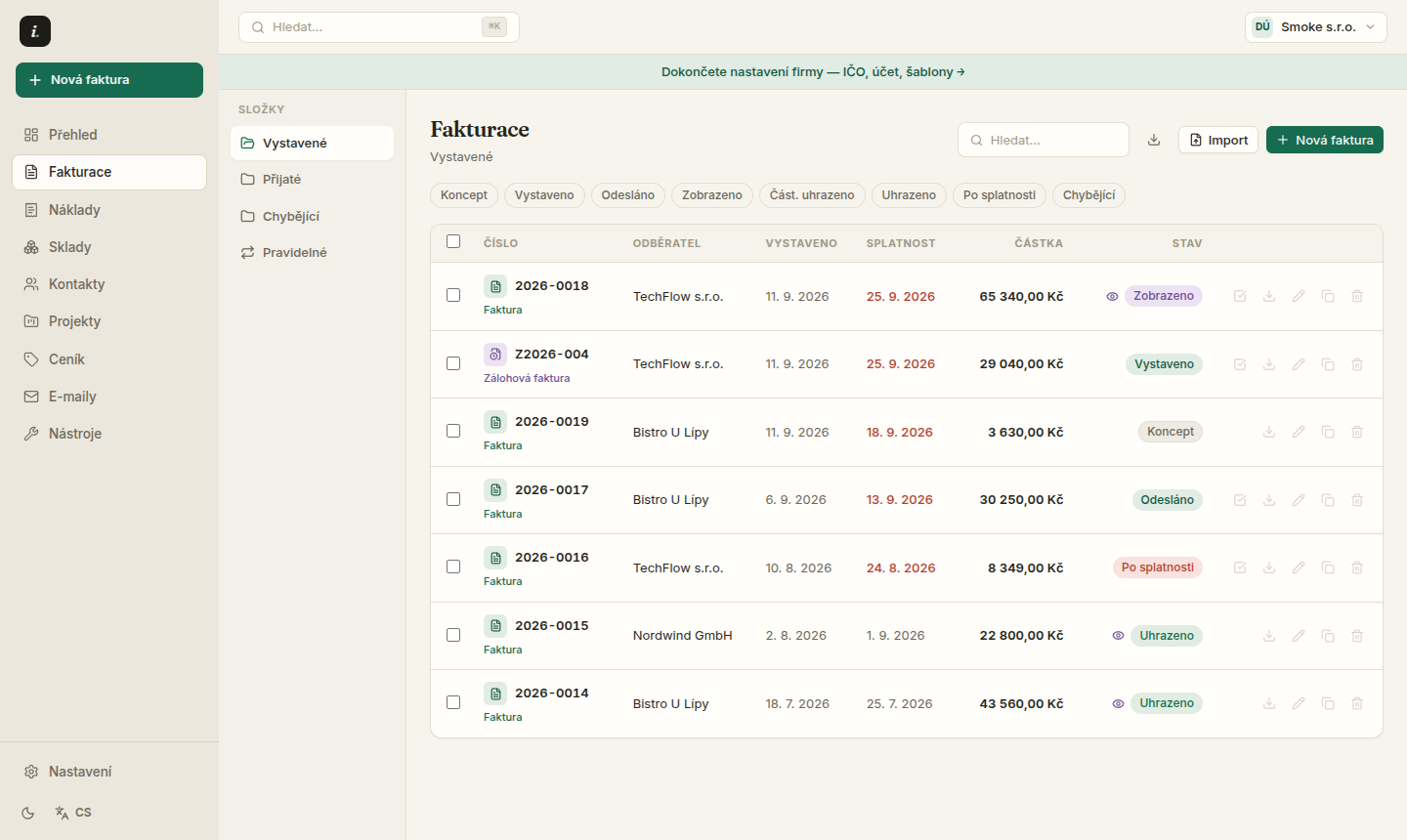
The document list is the heart of the app. Left folders sort by state and kind, rows show amount, due date and payment status — and the keyboard covers the whole workflow.
Keyboard shortcuts
- 1j / k — move the row cursor, o or Enter opens the detail.
- 2n — new document, / — focus search.
- 3x — select a row for bulk actions (folder, ZIP export, delete).
- 4? — shows the full key map anytime.
Filters and saved views
The filter panel combines folder, status, search, source, year, client and amount range. Saved combos pin as chips above the list — “Unpaid Q1” becomes one click. Filters persist in company settings, so the whole team sees them.
Drop an ISDOC or PDF file anywhere on the page — it goes straight to the intake queue at /doklady/import.
New invoice for a returning client
Pick a contact that already has a document and the editor offers to prefill items, currency, due days and language from their last one. Accept or dismiss — your own text is never overwritten.
A paid proforma (VAT payers)
When a proforma is paid and you are a VAT payer, the law requires an advance payment tax document (DDPP). The document detail shows “Issue advance tax doc” — a draft grouped by VAT rate is created, linked to the proforma via fulfills_id, and lands in tax evidence.
DDPP arrives as a draft for review — check rates and DUZP before issuing. Invico cannot replace an accountant.
Document layout
In the editor under Custom layout you can reorder the document blocks for this one document (header, parties, items, payment, totals, notes…), disable optional blocks and add free text paragraphs. Mandatory Czech tax blocks cannot be disabled — without them the document would not be valid.
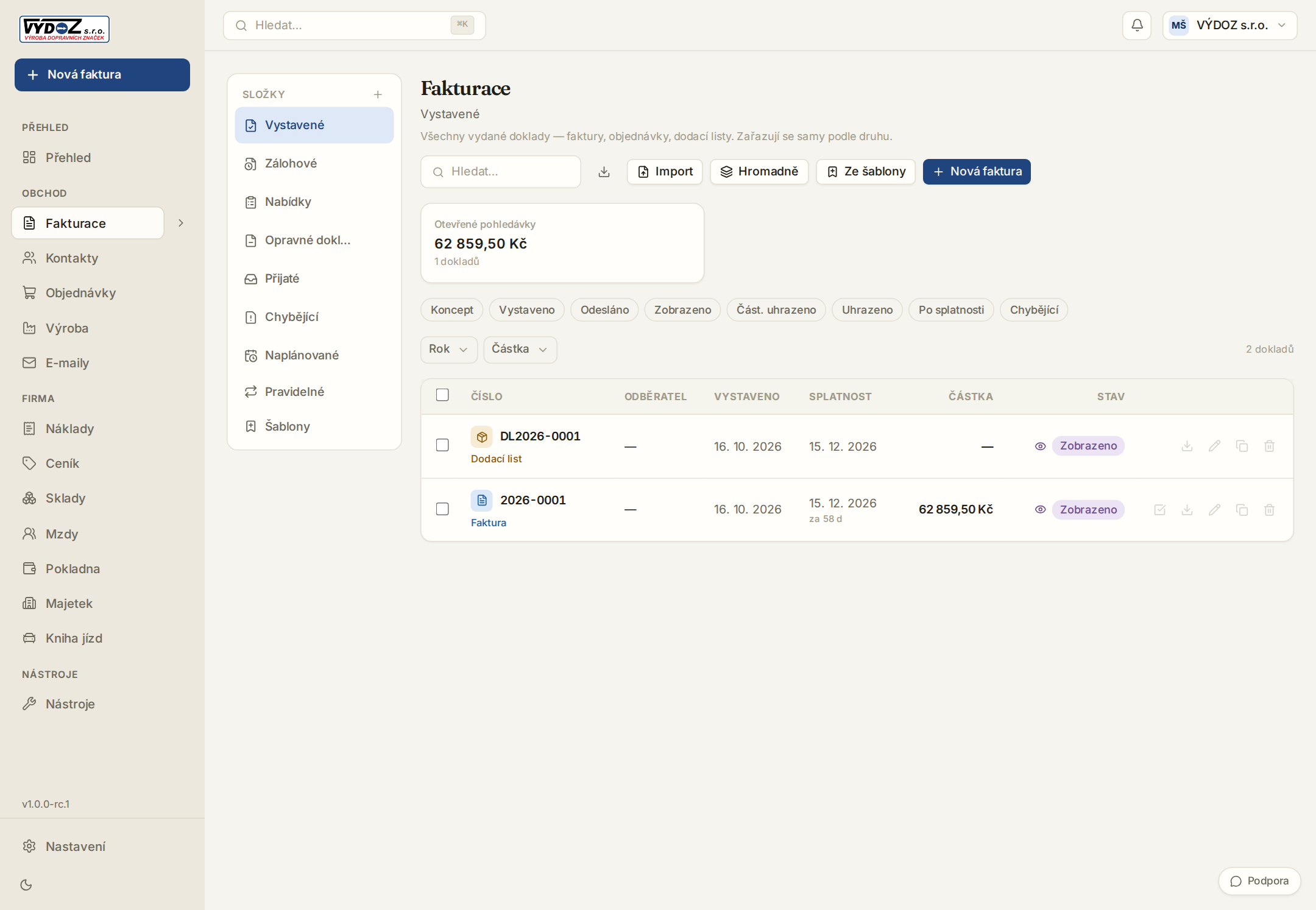
The search lives in the URL (?q=) — a refresh or a shared link keeps the same filter.
15 days of Pro free — no card required.
Notify me at launch →